Tools
MACBOOK ESSENTIALS
Jan 17, 2026
If you’re a MacBook user and you’re constantly toggling between different applications, tabs, screens and monitors, I strongly encourage you to consider downloading these free tools to make your MacBook experience 10x smoother.
I know I sounds like an advertisement but the apps Alfred and Rectangle have genuinely changed my MacBook experience for the better.
Alfred
I believe that most of us don’t really use the MacBook’s in-built Spotlight feature, simply because it’s not very fast or accurate. Alfred is the upgraded Spotlight that Apple never gave us. If you’re like me and you’re always toggling between apps, from Telegram to Spotify to Brave to Figma to Notion, it takes time and mental energy to use your trackpad or mouse and drag the cursor to the desired icon among all the icons found in your dock.
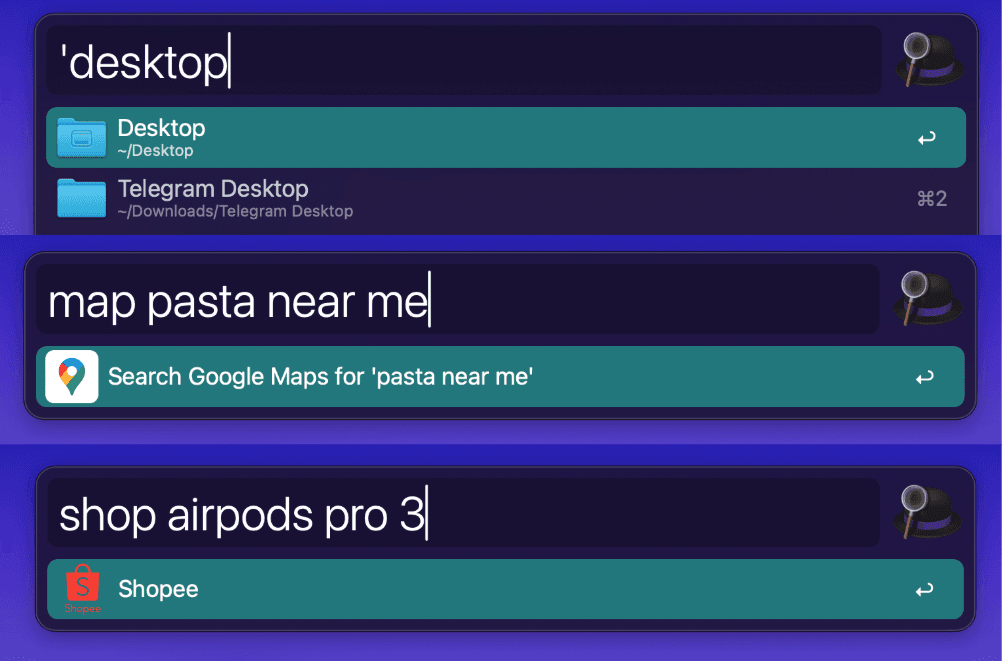
With Alfred you can hit CMD + Space to open up the interface, type in the app you want and hit enter. If you preface your search with a space “ “, Alfred can search for files and folders on your mac with speed and accuracy.
With Alfred you would be hopping seamlessly from app to app, without breaking a step in your flow.
Recent iOS update
Apple has completely revamped their spotlight feature with the new MacOS Tahoe 26. It’s fantastic, but Alfred still has my loyalty with their web search and web bookmarks features.
With web search, you can type “Yt cat video” and your preferred browser will open YouTube with “cat video” in the search bar. You can add any custom web search you want, from Shopee to Google Maps.
The web bookmarks feature allows you to access any of your bookmarks with the keycode “bm” (keycode can be customised). For example “bm google calendar” will allow me to jump straight into my google calendar page.
Rectangle App
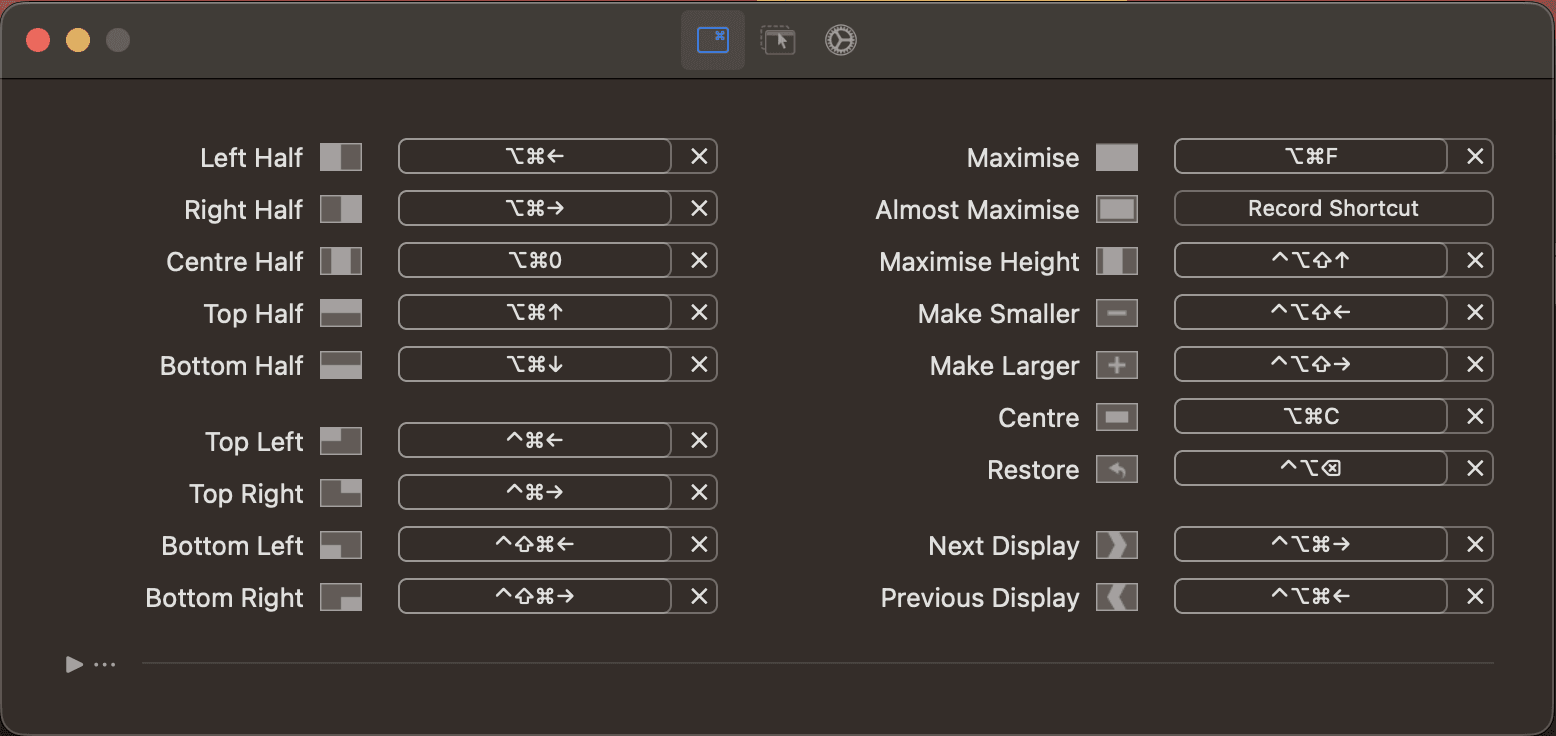
Alfred can help you access your many apps and files, Rectangle can help you organise them. With Rectangle you can arrange the applications and folders on your screen with a few shortcuts, this is especially helpful if you use a second monitor, or if you are always referring to multiple things at once.
These are a few shortcuts (which are also customisable) that would re-arrange and organise your screen:
⌃ ⌥ ⌘ + Left/Right ArrowToggle your selected app between different monitors⌥ ⌘ + Up/Down/Left/Right ArrowShift your selected app to take up the top/bottom/left/right half of the screen
I strongly advocate for Alfred and Rectangle, and if you tried them out, I hope that they brought you as much use and joy as they did for me.